
Every successful marketplace starts with a strong idea—but ideas alone don’t scale.
What truly decides whether a marketplace thrives or struggles is how smoothly buyers and sellers interact, how trustworthy the platform feels, and how easy it is to manage behind the scenes.
This is where many marketplace founders get stuck.
They want:
- Flexibility without complexity
- Professional design without hiring a dev team
- Scalability without rebuilding everything later
That’s exactly where Vendora – Multi-Vendor Marketplace WordPress Theme steps in.
Vendora is built for entrepreneurs, startups, and agencies who want to launch a serious, revenue-ready marketplace using WordPress, WooCommerce, and Elementor—without sacrificing performance, design freedom, or control.
If you’re planning to build a marketplace similar to Etsy, Amazon-style niche stores, or multi-seller platforms for fashion, electronics, digital products, or services—this theme deserves a closer look.
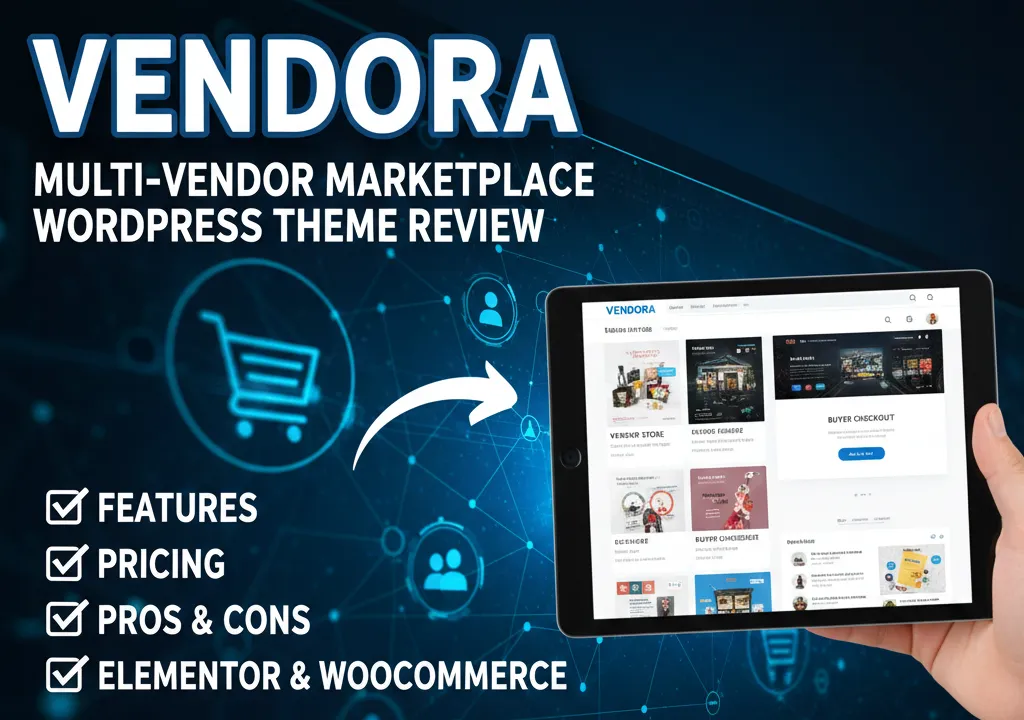
Vendora is a modern multi-vendor marketplace WordPress theme built with Elementor and WooCommerce. It supports popular vendor plugins, offers full design control without coding, and is ideal for launching scalable online marketplaces with multiple sellers.
What Is Vendora – Multi-Vendor Marketplace WordPress Theme?
Vendora is a WooCommerce-powered, Elementor-based WordPress theme designed specifically for building multi-vendor marketplaces.
In simple terms, it allows you to:
- Create a central marketplace website
- Let multiple vendors register and sell products
- Manage products, orders, commissions, and storefronts
- Customize every part of the site visually using Elementor
Unlike generic WooCommerce themes, Vendora is structured from the ground up for marketplace logic—vendor stores, product listings, filtering, cart experience, and seller dashboards.
It works seamlessly with leading multi-vendor plugins, giving you flexibility to choose how vendors operate on your platform.
Design Philosophy: Clean, Conversion-Focused & Scalable
Vendora doesn’t try to impress with unnecessary animations or flashy gimmicks.
Instead, it focuses on:
- Clear navigation
- Product-first layouts
- Fast checkout experience
- Logical vendor storefronts
- UI patterns users already trust
This matters because marketplaces live or die by user experience.
When buyers feel confident and vendors feel empowered, the platform grows naturally.
Features Overview: What Makes Vendora Marketplace-Ready
Vendora isn’t just a theme—it’s a complete marketplace framework.
1. Multi-Vendor Compatibility (Core Strength)
Vendora is compatible with leading multi-vendor plugins, allowing sellers to:
- Create their own stores
- Manage products and inventory
- Handle orders independently
- Track earnings and commissions
This flexibility lets you choose the vendor system that fits your business model.
2. Elementor-Powered Visual Customization
Vendora is built entirely with Elementor, which means:
- Edit pages visually on the front end
- Customize layouts without touching code
- Control spacing, typography, and sections easily
- Design landing pages, vendor pages, and product layouts freely
For non-technical founders, this is a huge advantage.
3. Conversion-Focused Shop Experience
Marketplace success depends on frictionless shopping.
Vendora includes:
- Ajax cart (no page reloads)
- Quick product view
- Smart filtering options
- Wishlist & product comparison
- Clean product grids and listings
These features directly improve engagement and conversion rates.
4. Header & Footer Builder
Vendora allows you to:
- Create custom headers for different pages
- Design professional footers with trust elements
- Build category-specific navigation menus
This is essential for large marketplaces with multiple product categories.
5. One-Click Demo Import
Launching fast matters.
With Vendora, you can:
- Import a full demo site in minutes
- Replace demo content with real products
- Start selling without building layouts from scratch
Perfect for startups and agencies working on deadlines.
6. Performance & SEO Optimization
Vendora is built with:
- Clean HTML structure
- Optimized asset loading
- Responsive layouts
- SEO-friendly page hierarchy
This helps marketplaces rank better while delivering fast load times—even with many products.
7. Advanced Shop & Product Features
Vendora supports:
- Product variations & swatches
- 360° product views
- Video thumbnails
- Custom product labels
- Ajax filtering and load-more
These details matter when competing in crowded marketplaces.
Why Choose Vendora Over Other Marketplace Themes?
Most marketplace themes fall into two categories:
- Overly complex and bloated
- Too basic to scale
Vendora finds the sweet spot.
Here’s why it stands out:
- Designed specifically for multi-vendor logic
- Elementor gives full creative control
- Clean UI that scales with product volume
- Works for physical and digital products
- Suitable for niche or large marketplaces
It’s not trying to do everything—it focuses on doing marketplaces right.
Pros and Cons of Vendora
| Pros | Cons |
|---|---|
| Built specifically for multi-vendor marketplaces | Requires vendor plugin setup |
| Elementor-based (no coding needed) | Not ideal for single-product sites |
| Clean, conversion-focused UI | Learning curve for beginners |
| WooCommerce powered | Hosting quality matters |
| Scalable & SEO-friendly | Best results need proper configuration |
Who Should Use Vendora?
Vendora is ideal for:
- Marketplace Startups – Perfect for founders launching niche marketplaces quickly and professionally.
- Multi-Seller E-Commerce Platforms – Ideal for fashion, electronics, digital products, or service-based marketplaces.
- Agencies & Developers – Great for building client marketplaces with reusable demos and scalability.
- Entrepreneurs Testing MVPs – Low entry cost, fast launch, and room to grow.
- Affiliate & Vendor-Driven Platforms – Works well for commission-based selling models.
Pricing and Value for Money
Vendora follows a one-time purchase model, making it extremely cost-effective.
What You’re Paying For:
- Full marketplace-ready WordPress theme
- Elementor compatibility
- WooCommerce integration
- Multi-vendor support
- Lifetime theme updates
- Professional documentation
Compared to custom marketplace development—which can cost thousands—Vendora offers exceptional ROI.
Real-World Use Case Example
Imagine launching a niche fashion marketplace.
With Vendora, you could:
- Install WordPress and WooCommerce
- Import Vendora demo
- Set up vendor registration
- Invite sellers
- Start onboarding products
Within days—not months—you have a fully functional marketplace that looks credible and professional.
Final Verdict: Is Vendora Worth It?
If you’re serious about building a scalable multi-vendor marketplace, Vendora is absolutely worth considering.
It combines:
- Design flexibility
- Marketplace logic
- Performance optimization
- Long-term scalability
Vendora doesn’t just help you launch—it helps you grow.
For founders who want control without chaos, this theme delivers exactly what’s needed.
Frequently Asked Questions (FAQs)
1. Is Vendora suitable for beginners?
Yes, especially with Elementor. However, basic WooCommerce knowledge helps.
2. Does Vendora support multiple vendors?
Yes, it’s designed specifically for multi-vendor marketplaces.
3. Can I customize vendor store layouts?
Absolutely. Vendor pages can be customized using Elementor.
4. Is Vendora mobile responsive?
Yes, it’s fully optimized for mobile, tablet, and desktop.
5. Can Vendora handle large marketplaces?
Yes, with proper hosting and configuration, it scales well.
Conclusion & Call to Action
A marketplace is more than a website—it’s an ecosystem.
Vendora gives you the structure, flexibility, and performance needed to build that ecosystem confidently.
If you’re ready to turn your marketplace idea into a professional, scalable platform—Vendora is a strong foundation.
Build smarter. Scale faster. Launch with confidence.