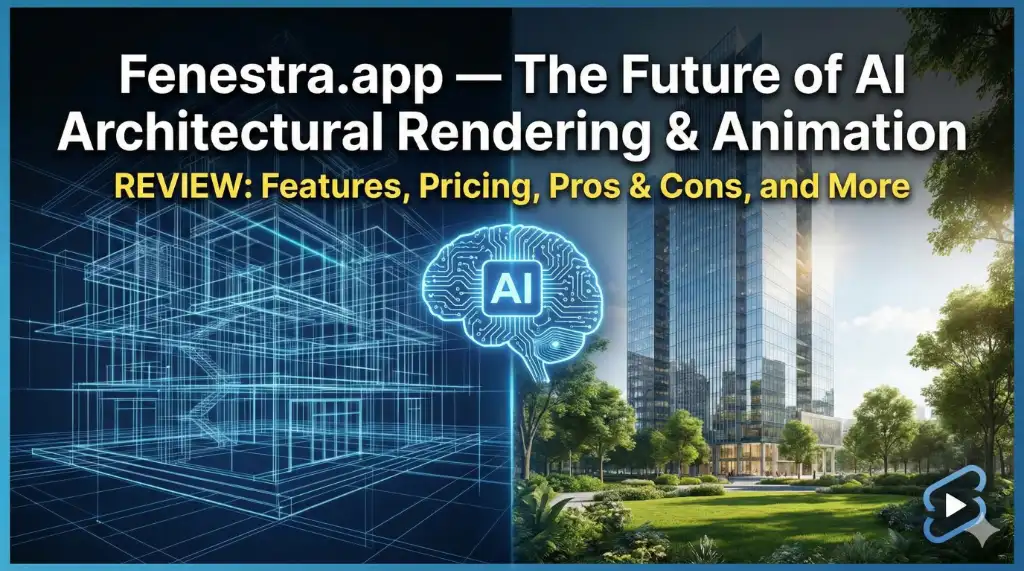
Architectural visualization has changed dramatically in the past few years, but nothing has shaken the industry quite like AI-powered rendering. As design timelines shrink and client expectations rise, architects need tools that don’t slow down creativity.
This is where Fenestra.app steps in—an AI-driven visualization platform built by architects, for architects. Instead of waiting hours for expensive renders, Fenestra lets you upload a sketch, 3D model, or CAD drawing and convert it into a polished render instantly.
Whether you’re an architect, interior designer, student, or studio owner looking for a faster visualization workflow, this deep-dive review breaks down everything you need to know before investing in Fenestra.
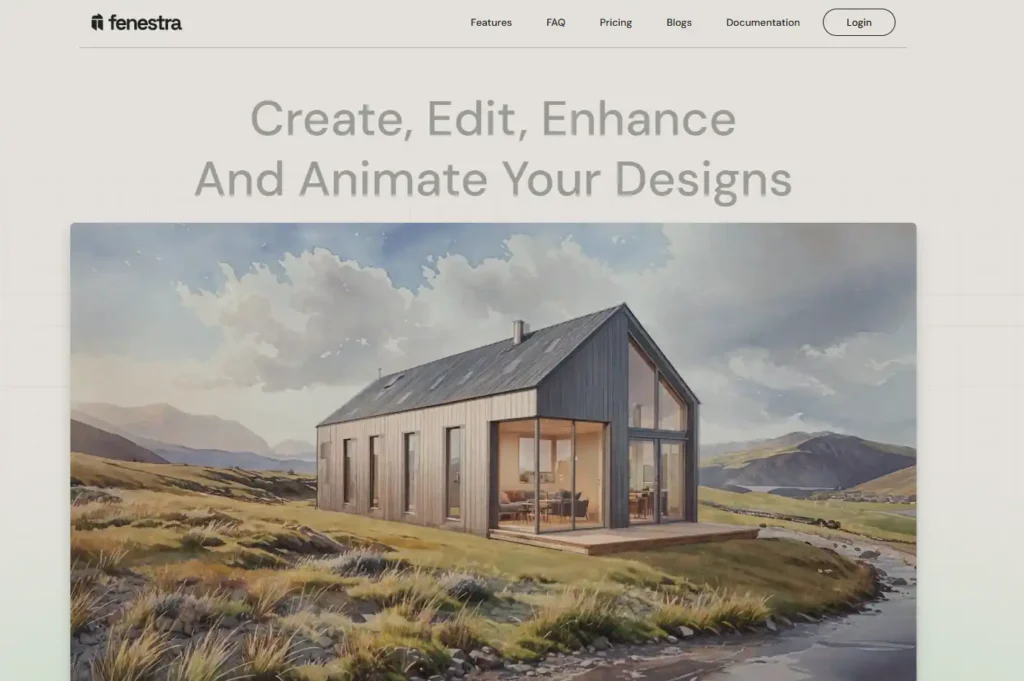
Fenestra.app is an AI-driven architectural visualization platform that turns sketches, CAD drawings, 3D models, and style references into photorealistic renders and cinematic animations. It’s used by architects, interior designers, universities, and studios to speed up workflows and create presentation-ready visuals within seconds. With features like Sketch to Render, 3D Model to Render, style presets, image enhancement, and AI animations, Fenestra offers a streamlined way to elevate design presentations without complex software or rendering engines.
Let’s look at what makes Fenestra a rising favorite in the architecture and design world.
What Is Fenestra.app?
Fenestra.app is an AI-powered architectural visualization tool that converts design inputs—such as sketches, 3D models, CAD drawings, or style references—into high-quality renders and animations.
Unlike complex rendering engines like V-Ray, Lumion, or Twinmotion, Fenestra requires:
- No hardware upgrades
- No rendering knowledge
- No heavyweight software
- No long processing time
Just upload → generate → refine.
Used by design professionals and institutions such as:
- Mikhail Riches
- Morgan Architects
- Cornell Architecture University
- SHoP Architects
- Manchester Metropolitan University
…the platform is already gaining strong traction in the architecture community.
Who Is Fenestra For?
Fenestra is ideal for:
- Architects
- Interior Designers
- Architecture Students
- Design Studios
- 3D Visualizers
- Creative Professionals needing fast visual output
If you’ve ever struggled with rendering speed, tight deadlines, or endless revisions, this platform can save hours (or even days) of production time.
Key Features of Fenestra.app
Below is a breakdown of the major tools that make Fenestra a powerful all-in-one visualization companion.
1. Sketch to Render
Turn a rough hand sketch or digital outline into a polished architectural render in seconds.
This is perfect for:
- Early-stage concept presentations
- Client mood boards
- Quick ideation
- Competition submissions
Instead of explaining your idea, you show it instantly.
2. 3D Model to Render
Fenestra supports FBX, GLB, and 3DM model imports.
Once uploaded, you can generate:
- Cinematic architectural views
- Stylized renders
- Photorealistic outputs
This helps you avoid traditional rendering software setups.
3. Custom Styles
This is one of Fenestra’s most powerful features.
Upload your own style references—such as:
- A favorite material palette
- Studio-specific drawing style
- Conceptual style (watercolor, sketch, clay, photorealistic)
—and instantly apply them to any render.
This ensures your visuals maintain consistency and signature aesthetics.
4. AI Animation Generator
Take any generated image and convert it into a cinematic animation.
Great for:
- Client presentations
- Competition entries
- Portfolio pieces
- Social media
It elevates static renders into dynamic walkthrough-style visuals.
5. CAD Drawings to Render
Working with 2D drawings? No problem.
Fenestra transforms:
- Plans
- Sections
- Elevations
…into immersive renderings with a single click—saving hours of manual modeling.
6. Image Enhancement
Upload any low-resolution render or image and enhance it into crisp, highly detailed visualizations.
Perfect for:
- Old projects
- Draft-quality renders
- Social media-ready posts
- Portfolio refinements
7. Best-in-Class AI Models
Fenestra handpicks specialized AI models curated by architects.
This means the output isn’t generic AI art—it’s purpose-built for architecture and interior design.
8. Multi-Workflow Support
Whether you sketch, model, render, or collage—Fenestra adapts to your workflow.
This includes:
- Enhancing existing renders
- Converting sketches
- Refining 3D models
- Polishing drafts
- Adding styles
- Generating animations
It’s essentially a visualization studio packed inside a browser tab.
Benefits of Using Fenestra (Real-World Advantages)
- Extremely fast render time – Outputs are ready within seconds, not hours.
- No hardware requirements – Runs entirely on the cloud—no GPUs needed.
- Ideal for concept-stage presentations – Great for competitions, student reviews, and client meetings.
- Consistent visual style – Apply studio or personal branding to every render.
- Lower cost than conventional rendering – Traditional render engines + powerful PCs can be expensive.
- Helps refine design thinking – Instant visual feedback encourages faster iteration.
- Used by professionals worldwide – It has credibility in both industry and academia.
Pros & Cons of Fenestra.app
Pros
- Lightning-fast rendering workflow
- Sketch, CAD, and 3D model support
- Custom style uploads
- AI animation generation
- No technical skills required
- Affordable plans for students
- Cloud-based, no installations
- Professional-grade output
- Ideal for architects and designers
Cons
- Requires stable internet
- Results may need fine-tuning for complex projects
- Doesn’t replace full 3D modeling tools
- Rendering quotas depend on plan
- Best features locked in higher tiers
Fenestra Pricing (2026)
Fenestra offers flexible plans for individuals, professionals, and studios. All plans are billed monthly with easy cancellation.
1. Individual Plan — $10/mo
Best for students and solo designers.
Includes:
- ~200 renders per month
- ~20 videos per month
- AI-enhanced prompting
- Commercial use rights
2. Pro Plan — $35/mo
Suitable for professional architects and designers.
Includes:
- ~1000 renders per month
- ~100 videos per month
- ~500 enhanced renders
- Fast rendering
- Image editing tools
- Unlimited projects
- Fast support
- Share 3D
- Team tools (coming soon)
3. Studio Plan — $60/mo
Ideal for studios producing work at scale.
Includes:
- ~2000 renders per month
- ~200 videos per month
- ~1000 enhanced renders
- Priority support
- Priority rendering speeds
- Professional editing
- Unlimited projects
- Early access to new features
- Team tools (coming soon)
4. Enterprise Plan — Custom
For large teams that require:
- Shared credit pools
- Centralized billing
- Multi-user access
- Collaborative features
- Personalized onboarding
Who Should Use Fenestra?
- Freelance Architects – For fast concept renders and client revisions.
- Architecture Students – Perfect for juries, competitions, and portfolio building.
- Architectural Studios – Streamline early-stage rendering and mood boards.
- Interior Designers – Present material palettes, furniture layouts, and concept visuals instantly.
- Visualization Artists – Speed up previews before producing final high-end renders.
Is Fenestra Worth It?
If you’re looking for a tool to:
- Speed up rendering
- Impress clients
- Elevate presentations
- Reduce software complexity
- Avoid hardware upgrades
- Produce cinematic animation
Fenestra is absolutely worth it.
While it may not replace full-fledged rendering engines for hyper-realistic final shots, it is unbeatable for:
- Concept design
- Early-stage visualization
- Smart iteration
- Fast client communication
It’s the perfect blend of creativity, speed, and simplicity.
FAQs About Fenestra.app
1. Is Fenestra suitable for beginners?
Yes. You don’t need rendering or modeling experience. Upload your sketch or model and let the AI generate visuals.
2. Does Fenestra require a powerful PC?
No. Everything runs in the cloud, so even a basic laptop works.
3. Can I use Fenestra renders commercially?
Yes—commercial rights are included in all paid plans.
4. What file formats does Fenestra support?
FBX, GLB, and 3DM for 3D models. It also supports sketches, CAD drawings, and images.
5. Can I create animations?
Yes. Fenestra converts generated images into cinematic AI animations.
6. Is there a free trial?
Fenestra occasionally offers trials or demo credits—check the website for current offers.
Conclusion: Fenestra.app Is the Future of AI Architectural Rendering
Fenestra isn’t just another AI tool—it’s a complete ecosystem designed for architects and designers who want to work smarter, faster, and more creatively. It trims down long rendering timelines, eliminates technical bottlenecks, and empowers designers to focus on what truly matters: the design itself.
If you want a tool that elevates your presentations and expands your creative possibilities, Fenestra.app is a game-changer worth trying.